
- Home
- Microsoft Certifications
- 98-383 Introduction to Programming Using HTML and CSS Dumps
Pass Microsoft 98-383 Exam in First Attempt Guaranteed!
Get 100% Latest Exam Questions, Accurate & Verified Answers to Pass the Actual Exam!
30 Days Free Updates, Instant Download!


98-383 Premium File
- Premium File 40 Questions & Answers. Last Update: Nov 10, 2026
Whats Included:
- Latest Questions
- 100% Accurate Answers
- Fast Exam Updates
Last Week Results!
 83% students found the test questions almost same
98-383 HTML and CSS Fundamentals: A Practical Legacy Web Foundation
Exam 98-383, Introduction to Programming Using HTML and CSS, retired with Microsoft Technology Associate on June 30, 2022. It is no longer a current Microsoft exam. The credential was designed for learners who needed to show that they could build and style structured web pages, work with forms and media, apply CSS selectors and layout rules, and understand enough browser behavior to produce a functional front end.
The exam overlaps with the broader retired 98-375 HTML5 application development credential but is narrower in purpose. 98-375 combined markup, CSS, JavaScript, and browser application features; 98-383 kept attention on document structure and presentation. The paired 98-382 JavaScript exam covered programming logic more directly. Together they illustrate how Microsoft once separated early web skills before Microsoft certifications shifted toward role-based cloud and business technology credentials.
For present-day learners, the old exam is useful because HTML and CSS remain the substrate under every frontend framework. A component library can generate markup and styles, but accessibility, cascade behavior, layout, and browser rendering still determine the result. Understanding those mechanisms makes framework code easier to debug and prevents visual fixes from creating structural problems.
HTML should describe meaning before it describes appearance
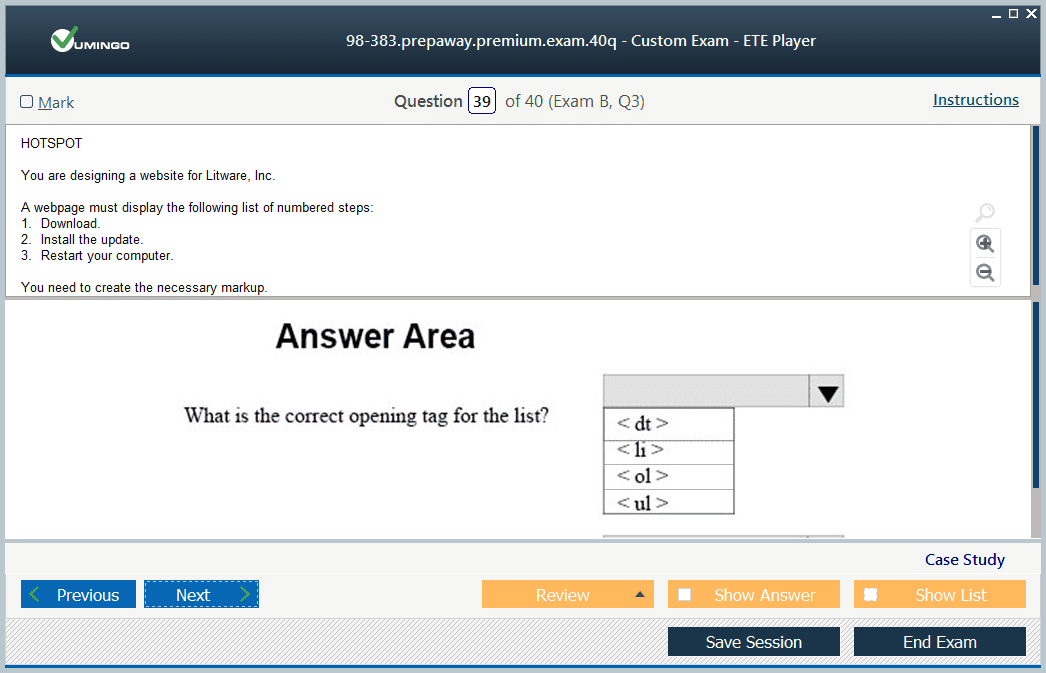
HTML organizes information into a document hierarchy. Headings establish sections, paragraphs hold prose, lists express groups, tables represent tabular relationships, and semantic landmarks identify navigation, main content, side information, and footer material. Using the correct element gives browsers and assistive technologies information that a generic container does not provide by itself.
The heading outline deserves particular care. Skipping levels merely to obtain a smaller font confuses document structure with presentation. Styling belongs in CSS; heading levels should communicate hierarchy. The same principle applies to lists, quotes, code, figures, and tables. Choose the element that represents the content, then change appearance separately.
Attributes add metadata and behavior. Alternative text describes meaningful images, language declarations help user agents, href and src values connect resources, and data attributes can carry application-specific values. Attribute names and values should be valid for the element being used. Browser tolerance for invalid markup is not a reason to depend on repair behavior.
Links, images, media, and tables each have their own correctness rules
Links need meaningful destination text so users can understand where they lead without surrounding context. Relative and absolute URLs solve different navigation needs, and fragments can target locations within a document. Opening behavior should be chosen deliberately rather than forcing every external reference into a new window.
Images require dimensions and alternatives appropriate to their purpose. Decorative images should not create noise for screen-reader users, while informative images need text that communicates the relevant meaning. Native audio and video elements support browser-based media playback, but captions, transcripts, controls, and fallback behavior are part of a complete implementation.
Tables are appropriate for data with row-and-column relationships, not general page layout. Header cells, captions, and logical structure help users navigate complex data. CSS can control borders and spacing without sacrificing semantics. This is a good example of the exam’s broader lesson: presentation requirements should not force misuse of HTML structure.
Forms are interface structures, not just collections of inputs
A usable form connects every control to a clear label, groups related choices, communicates required information, and gives actionable error feedback. Input types such as email, number, date, checkbox, radio, and range help the browser provide appropriate behavior. Select controls and text areas serve different input patterns and should be chosen based on the information being collected.
Form attributes can provide basic validation, but accessibility and business rules still require thoughtful design. Placeholder text is not a substitute for a persistent label. Color alone should not indicate an error. Keyboard users need predictable focus order, and error messages should be associated with the field that needs attention.
Client-side form rules improve the experience but do not make submitted data trustworthy. Server-side validation remains necessary because clients can be modified or bypassed. Even on a page-focused exam, understanding that boundary prevents a common misconception: HTML constraints support users; they do not enforce backend security.
The cascade determines which CSS declaration actually wins
CSS looks simple when one selector changes one element, but real stylesheets combine inherited values, selector specificity, source order, and explicit importance. When two rules target the same property, the browser resolves that conflict according to the cascade. Developers who understand that resolution process can fix the source of a styling problem instead of stacking increasingly specific overrides.
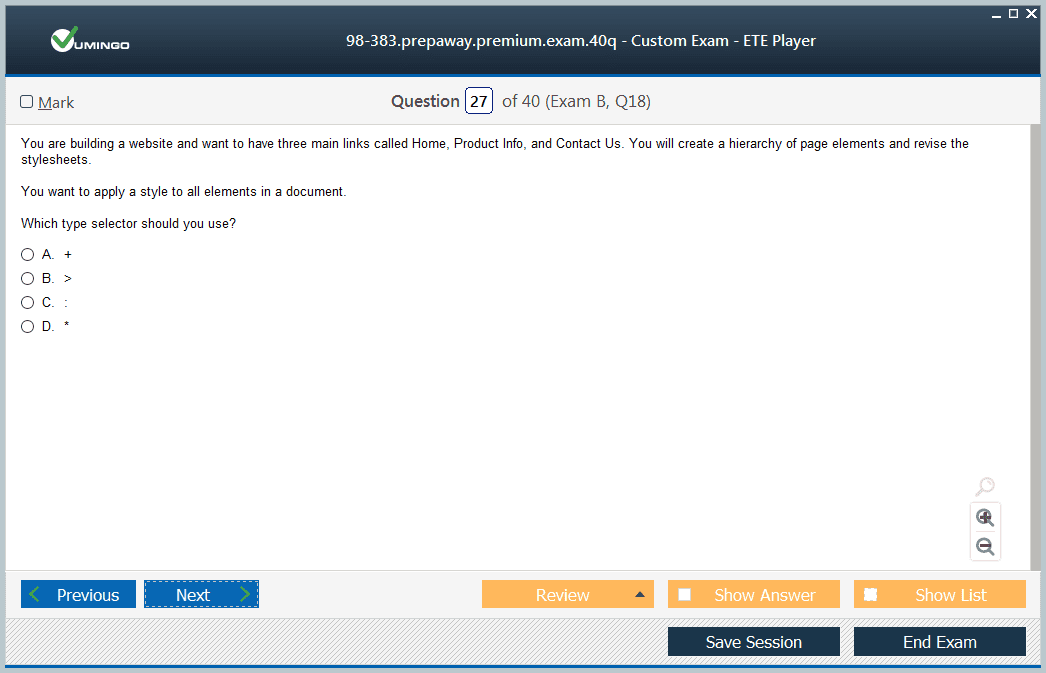
Selectors can target element types, classes, identifiers, attributes, states, and relationships within the document tree. A selector should be specific enough to express intent but not so coupled to page structure that a small markup change breaks styling. Reusable class-based styling usually scales better than long chains based on exact nesting.
Developer tools expose matched rules and computed values, making the cascade visible. This should be part of fundamentals practice. Instead of guessing which stylesheet is active, inspect the element, disable rules, and trace the final value. That workflow teaches more about CSS behavior than memorizing specificity scores without applying them.
The box model and normal flow explain most layout surprises
Every rendered element has a content box plus padding, border, and margin. Width and height may refer only to content or to a broader box depending on box-sizing. Margins can collapse in specific block-flow situations. Inline elements participate differently from block-level boxes. These rules explain why a layout may be wider, taller, or more separated than expected.
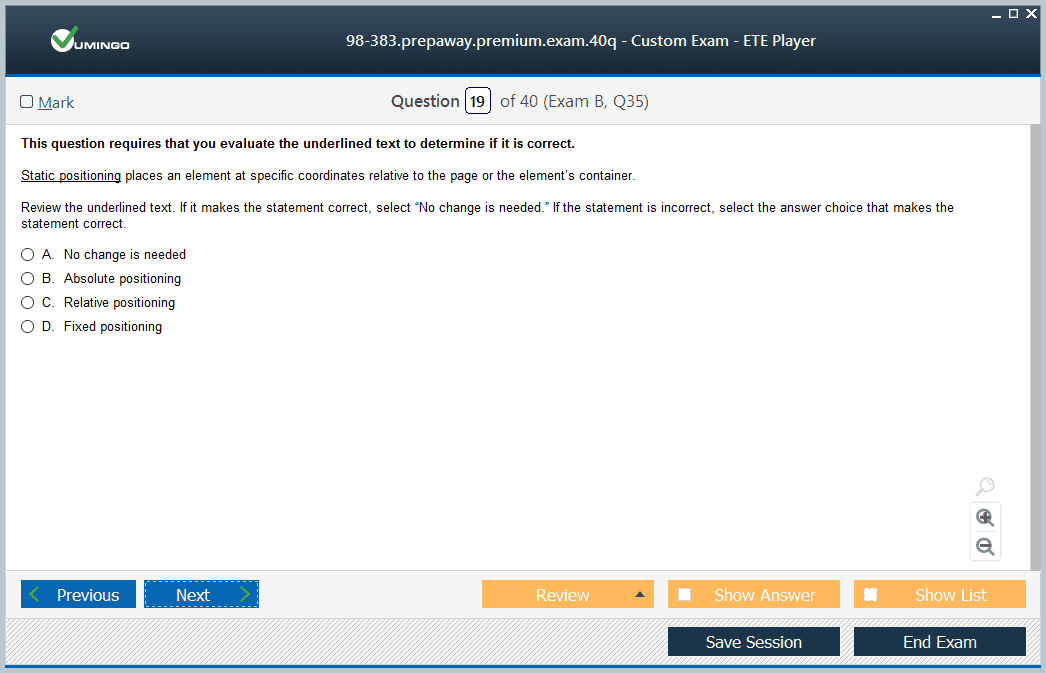
Normal document flow should be the default starting point. Flexbox and grid provide powerful layout systems for one- and two-dimensional arrangements, but they still operate on boxes created by the document. Absolute positioning is useful for particular overlays or anchored elements, yet using it for the whole page often creates brittle relationships that fail when content changes.
Responsive layout requires flexible dimensions and breakpoints based on content needs rather than one device model. Media queries can adjust layout, typography, or visibility when available space changes. The best responsive pages preserve reading order and functionality as the design rearranges.
Typography and visual states communicate hierarchy and interaction
CSS controls font families, sizes, weights, line height, letter spacing, alignment, and text decoration. Good typography establishes hierarchy without relying on extreme size differences. Relative units can support user scaling, while sufficient line height and line length improve readability across screen sizes.
Interactive controls need visible states. Links, buttons, form fields, and custom components should communicate hover, focus, active, selected, disabled, and error conditions where relevant. Keyboard focus is especially important because removing a focus outline without supplying an accessible alternative can make navigation effectively invisible.
Color choices must also preserve contrast. A design that looks subtle on one display may become unreadable on another, and users with low vision or color-vision differences need distinctions that are not based solely on hue. These considerations are not separate from frontend correctness; they determine whether the interface can be used.
Maintainable CSS depends on predictable scope and reusable patterns
As stylesheets grow, accidental interactions become more likely. Reusable classes, consistent naming, limited selector depth, and deliberate component boundaries reduce that risk. Modern teams may use methodologies, CSS modules, utility systems, or component-scoped styles, but all of them are attempts to manage the same underlying cascade and reuse problems.
Duplication is sometimes a signal that several elements share a semantic presentation role. Extracting a reusable class can make changes safer. Over-abstraction can be harmful too: a generic class that combines unrelated visual decisions may become difficult to use consistently. The right abstraction reflects a stable pattern in the interface.
Browser compatibility should be handled with progressive enhancement. Start from a usable baseline, then add advanced layout or visual features where supported. A page should not become unreadable because one decorative capability is unavailable. This approach keeps markup and content resilient as browsers evolve.
A modern practice project can cover the entire 98-383 foundation
The most useful way to revisit the retired exam is to build one small, content-rich site. Include semantic landmarks, a navigation menu, article content, a data table, responsive images, a form with accessible labels, and a responsive layout. Add focus styles, validation states, and a mobile breakpoint. That single project forces the markup and presentation layers to cooperate.
Use browser validation tools and developer tools as part of the project. Inspect the DOM, computed styles, accessibility tree, and responsive behavior. Deliberately introduce a specificity conflict or box-model mistake, then diagnose it. Fundamentals become durable when a learner can explain why the browser produced a result, not merely how to copy a rule that appears to fix it.
Once the structure and styling are sound, JavaScript can be added as a separate enhancement layer using concepts represented by 98-382. That sequencing reinforces the enduring value of 98-383: a strong frontend starts with a document that makes sense and a stylesheet that expresses layout cleanly before behavior is layered on top.
Accessibility testing should be part of the same workflow as visual testing. Keyboard-only navigation can reveal missing focus states or controls that cannot be reached. Browser accessibility inspectors can show landmark structure, labels, names, and roles. Automated scanners catch common issues, but manual review is still needed for reading order, meaningful alternative text, and whether the interface communicates its purpose clearly.
Modern layout systems also make it easier to keep structure and presentation separate. Flexbox is well suited to arranging items along one primary axis, while CSS Grid can define rows and columns for more complex two-dimensional layouts. Both are stronger than using tables or absolute positioning as general layout tools because the document can retain logical source order while CSS controls visual arrangement.
Why customers love us?
What do our customers say?
The resources provided for the Microsoft certification exam were exceptional. The exam dumps and video courses offered clear and concise explanations of each topic. I felt thoroughly prepared for the 98-383 test and passed with ease.
Studying for the Microsoft certification exam was a breeze with the comprehensive materials from this site. The detailed study guides and accurate exam dumps helped me understand every concept. I aced the 98-383 exam on my first try!
I was impressed with the quality of the 98-383 preparation materials for the Microsoft certification exam. The video courses were engaging, and the study guides covered all the essential topics. These resources made a significant difference in my study routine and overall performance. I went into the exam feeling confident and well-prepared.
The 98-383 materials for the Microsoft certification exam were invaluable. They provided detailed, concise explanations for each topic, helping me grasp the entire syllabus. After studying with these resources, I was able to tackle the final test questions confidently and successfully.
Thanks to the comprehensive study guides and video courses, I aced the 98-383 exam. The exam dumps were spot on and helped me understand the types of questions to expect. The certification exam was much less intimidating thanks to their excellent prep materials. So, I highly recommend their services for anyone preparing for this certification exam.
Achieving my Microsoft certification was a seamless experience. The detailed study guide and practice questions ensured I was fully prepared for 98-383. The customer support was responsive and helpful throughout my journey. Highly recommend their services for anyone preparing for their certification test.
I couldn't be happier with my certification results! The study materials were comprehensive and easy to understand, making my preparation for the 98-383 stress-free. Using these resources, I was able to pass my exam on the first attempt. They are a must-have for anyone serious about advancing their career.
The practice exams were incredibly helpful in familiarizing me with the actual test format. I felt confident and well-prepared going into my 98-383 certification exam. The support and guidance provided were top-notch. I couldn't have obtained my Microsoft certification without these amazing tools!
The materials provided for the 98-383 were comprehensive and very well-structured. The practice tests were particularly useful in building my confidence and understanding the exam format. After using these materials, I felt well-prepared and was able to solve all the questions on the final test with ease. Passing the certification exam was a huge relief! I feel much more competent in my role. Thank you!
The certification prep was excellent. The content was up-to-date and aligned perfectly with the exam requirements. I appreciated the clear explanations and real-world examples that made complex topics easier to grasp. I passed 98-383 successfully. It was a game-changer for my career in IT!


