Pass Microsoft 365 Certified: Endpoint Administrator Associate Certification Exam in First Attempt Guaranteed!
Get 100% Latest Exam Questions, Accurate & Verified Answers to Pass the Actual Exam!
30 Days Free Updates, Instant Download!

MD-102 Premium Bundle
- Premium File 452 Questions & Answers. Last update: Nov 01, 2026
- Training Course 84 Video Lectures
- Study Guide 512 Pages
MD-102 Premium Bundle
- Premium File 452 Questions & Answers
Last update: Nov 01, 2026 - Training Course 84 Video Lectures
- Study Guide 512 Pages
Purchase Individually
Premium File
Training Course

Study Guide
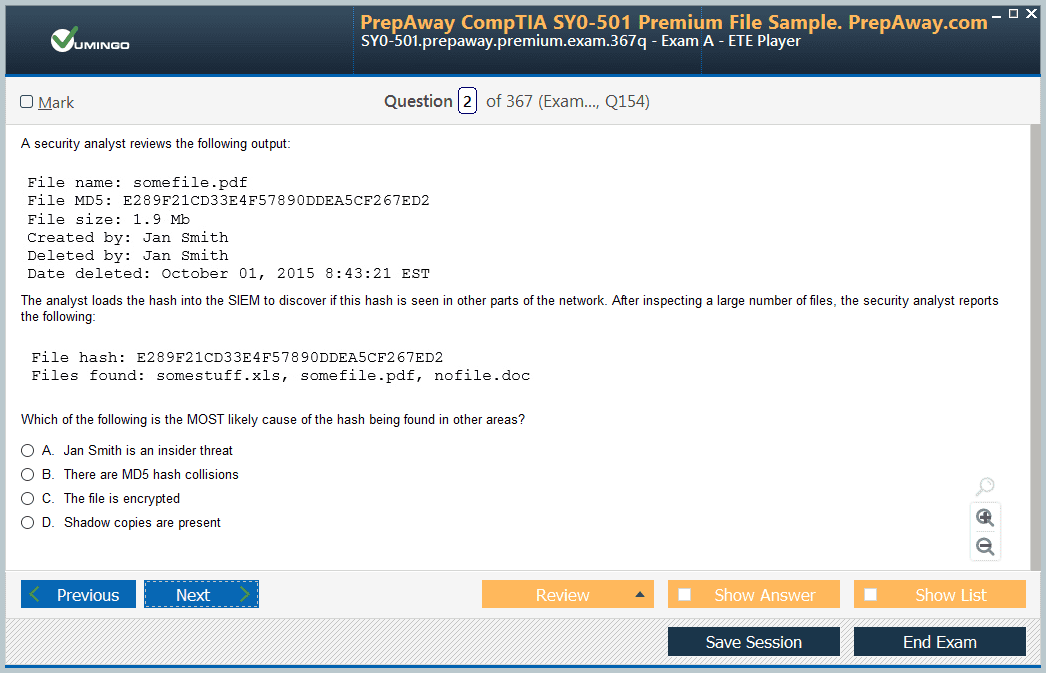
MD-102 Exam - Endpoint Administrator
| Download Free MD-102 Exam Questions |
|---|
Microsoft Microsoft 365 Certified: Endpoint Administrator Associate Certification Practice Test Questions and Answers, Microsoft Microsoft 365 Certified: Endpoint Administrator Associate Certification Exam Dumps
All Microsoft Microsoft 365 Certified: Endpoint Administrator Associate certification exam dumps, study guide, training courses are prepared by industry experts. Microsoft Microsoft 365 Certified: Endpoint Administrator Associate certification practice test questions and answers, exam dumps, study guide and training courses help candidates to study and pass hassle-free!
Microsoft 365 Endpoint Administrator Associate: Current MD-102 Skills for Intune and Modern Management
Microsoft 365 Certified: Endpoint Administrator Associate is the current role-based certification for professionals who deploy, manage, secure, and optimize devices and client applications in a Microsoft 365 tenant. The required exam is MD-102, and Microsoft’s English study guide was updated on July 24, 2026. The role now explicitly includes Microsoft Intune, Intune Suite capabilities, Windows Autopilot, Defender for Endpoint, Microsoft Entra ID, PowerShell, Microsoft Graph, Windows 365, and agentic tools and workflows.
The certification is intermediate and currently renews every 12 months through Microsoft’s role-based certification renewal model. The approved PrepAway MD-102 endpoint administration article can support preparation, while the wider Microsoft certifications portfolio provides adjacent identity, Teams, Microsoft 365, and security paths. Endpoint administration should be studied as a lifecycle: prepare infrastructure, enroll devices, apply identity and compliance, deploy applications, protect endpoints, monitor health, automate work, and troubleshoot users without weakening security.
Start With Device Identity and Enrollment
Modern endpoint management begins with deciding how devices become known to the organization. Understand Microsoft Entra join and registration concepts, Intune enrollment, platform enrollment restrictions, corporate versus personal ownership, and what user or device state is created during onboarding.
Build a small test group and compare a clean enrollment with a deliberately blocked enrollment. Check licensing, scope, platform restrictions, user identity, network connectivity, and enrollment status before changing broad tenant settings. The PrepAway overview of Microsoft 365 endpoint management helps connect enrollment with the broader device lifecycle.
Windows Autopilot Is a Deployment Workflow
Autopilot helps organizations provision Windows devices with cloud-driven identity and policy. Learn device registration, deployment profiles, enrollment status behavior, user-driven or pre-provisioning concepts, and how applications and policies arrive after initial setup.
A deployment is successful only when the user receives a compliant, managed, secured device with required apps and access. Practise troubleshooting when a device is registered but receives the wrong profile, stalls during enrollment, or reaches the desktop without required policy.
Compliance and Conditional Access Work Together
Intune compliance evaluates device state; Conditional Access can use that state as part of an access decision. Keep the concepts separate so troubleshooting does not become guesswork. A device can be enrolled but noncompliant, or compliant but blocked by another identity condition.
Practise policies for encryption, OS version, security settings, and risk signals in a test environment. The approved Identity and Access Administrator Associate path is useful for candidates who need deeper Microsoft Entra and Conditional Access expertise.
Configuration Profiles Need Scope and Conflict Awareness
Endpoint administrators deploy settings through configuration profiles, security baselines, settings catalog policies, device restrictions, and other Intune controls. Understand assignment to users or devices, filters, exclusions, and how conflicting settings are diagnosed.
Do not resolve policy conflict by applying more policies. Identify which profiles target the device, which setting wins or reports conflict, and whether the requirement should be standardized or handled as a documented exception.
Applications Must Be Deployed and Protected
The current MD-102 scope includes deploying and updating apps plus app protection and app configuration. Learn required versus available deployment, detection rules, dependencies, supersedence concepts, managed app configuration, and mobile application management.
Test an app lifecycle from assignment through installation, update, removal, and troubleshooting. The same user may have managed and unmanaged applications on different devices, so data-protection policy should reflect the risk rather than device ownership alone.
Endpoint Security Connects Intune and Defender
Protect devices with security baselines, antivirus, firewall, disk encryption, attack-surface reduction, Defender for Endpoint integration, update policy, and least privilege. The goal is an enforceable security posture, not merely a green compliance dashboard.
When an endpoint becomes high risk or noncompliant, determine what control generated the state, what evidence exists, and whether access should be restricted while remediation occurs. Endpoint administrators often work closely with security operations and information-security administrators.
Updates Need Rings, Monitoring, and Recovery
Current MD-102 includes managing device updates through cloud-based tools. Plan pilot rings, broad rollout, deadlines, feature updates, quality updates, driver considerations, and rollback where supported. Treat update management as change management.
A successful update strategy defines acceptable failure rates and what to do when a release causes application or device problems. Avoid pushing every update to every device simultaneously simply because the platform makes it possible.
Automation and Monitoring Are Explicit 2026 Skills
The July 2026 update added a dedicated focus on optimizing endpoint operations through automation, monitoring, and reporting. Use PowerShell, Microsoft Graph, Intune reporting, remote actions, device analytics, and scripted validation to reduce repetitive work.
Automation should use least privilege, logging, scoped targets, and clear error handling. A bulk script that can change thousands of devices needs stronger safeguards than a one-device interactive task.
Endpoint administrators collaborate with Teams administrators, identity specialists, information-security teams, and tenant-level Microsoft 365 administrators. The PrepAway overview of Microsoft 365 administrator responsibilities can help place endpoint work inside the tenant operating model.
Use the role boundary correctly: MD-102 expects deep device and app management, while Teams, Purview, Entra, and tenant-wide administration have their own specialized credentials. Strong endpoint admins know when the fault is on the device and when to hand off evidence.
Device preparation should also include licensing, enrollment scope, platform support, network requirements, and administrative roles. An endpoint can fail enrollment because the user is not licensed, the platform is blocked, the device is already managed elsewhere, or the account is outside the expected enrollment scope. Build a checklist so each condition is tested before you reset or wipe the device.
Co-management deserves attention where Configuration Manager remains in use. Understand at a high level how workloads can move toward cloud management and why organizations may not migrate every control at once. During transition, document which platform owns each workload so conflicting policy is not mistaken for Intune failure.
Windows 365 and cloud PC scenarios also belong in the modern endpoint conversation. Endpoint administrators may manage access, device policy, applications, security, and user experience across physical and cloud-hosted Windows environments. Keep identity, network, licensing, and policy dependencies visible when troubleshooting.
Application protection without full device enrollment is an important pattern for personal devices. Practise policies that protect organizational data in managed apps while respecting the boundary between corporate and personal content. A BYOD strategy should answer what the organization can wipe, what it can monitor, and what remains private to the user.
Remote actions such as sync, restart, retire, wipe, passcode reset, and other device-management commands have different consequences. Use them only after confirming the device identity, ownership, impact, and intended recovery path. The July 2026 update increased emphasis on remote actions, so operational judgment matters.
Endpoint analytics and reporting should drive improvement, not only incident response. Track device health, update compliance, enrollment failures, application installation, security posture, and user-experience signals. Look for repeated patterns that indicate a policy design problem rather than treating every device ticket as an isolated event.
For final practice, create a deployment ring with a test user, a pilot group, and a broader population. Assign an app, configuration, compliance policy, security baseline, and update policy. Introduce one intentional conflict and one application failure, then use Intune reporting to isolate each cause before making a correction.
Privilege management should include local administrator strategy. Endpoint Privilege Management and related controls can help organizations reduce standing admin rights while allowing approved tasks. Define which users genuinely need elevation, how approval or rules work, and how elevated actions are logged.
Device retirement and offboarding deserve the same discipline as enrollment. Decide whether a departing device should be retired, wiped, disabled, or simply removed from management based on ownership and data risk. Confirm that corporate data, certificates, apps, and access are handled according to policy before the asset leaves control.
Cross-platform administration matters because Intune can manage Windows plus supported mobile and other endpoint platforms. Keep platform differences visible. A policy available on Windows may not exist or behave identically on iOS, Android, or macOS, so build assignments and expectations accordingly.
Support teams need useful documentation. Record enrollment method, policy sets, app dependencies, update rings, security baselines, and escalation paths. When a device fails compliance at 2 AM, the responder should not need the original engineer to remember why a policy exists.
Before scheduling MD-102, review the live study guide again because Microsoft changed the exam substantially in July 2026, including enrollment detail, remote actions, endpoint security, automation, and health monitoring. Older courses can still teach Intune fundamentals but should not define the current blueprint.
Final Readiness Check
- Use the MD-102 objectives updated July 24, 2026.
- Practise Intune enrollment, Autopilot, compliance, configuration, apps, security, updates, monitoring, and automation hands on.
- Keep device compliance and Conditional Access concepts distinct when troubleshooting.
- Use staged rollout and evidence-based remediation instead of broad tenant changes.
- Plan for Microsoft’s 12-month role-based certification renewal cycle.
Endpoint Administrator Associate is most valuable when it proves you can manage devices at scale without losing control of security or user experience. The strongest preparation is a test tenant where you can enroll, configure, protect, monitor, automate, break, and recover endpoints deliberately.
Microsoft 365 Certified: Endpoint Administrator Associate certification practice test questions and answers, training course, study guide are uploaded in ETE files format by real users. Study and pass Microsoft Microsoft 365 Certified: Endpoint Administrator Associate certification exam dumps & practice test questions and answers are the best available resource to help students pass at the first attempt.